Replace the pen nib
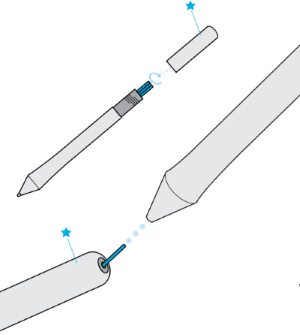
Extra pen nibs and a nib removal tool are provided in the end of the pen. Refer to the illustrations below for more detail:
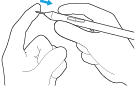
- Hold the pen in both hands, one near the end and the other near side buttons.
- Gently twist the pen to reveal the extra nibs inside.
- Use the back of the pen to remove your nib.
- Replace the nib by sliding the end straight into the barel of the pen slowly and firmly until it stops.
- Gently twist the pen end back on the pen when finished.
Do NOT attempt to remove the pen end by pulling it. Do NOT over-tighten the pen end.
| | Do not share my information | | Cookies | | Terms of use | | Privacy Policy |