Set up and adjust the display stand
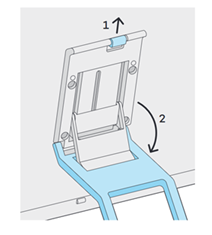
- Pull up on the lever at the top of the stand (1) while moving the stand into position (2).
- Release the lever wherever you want to lock the stand into position.
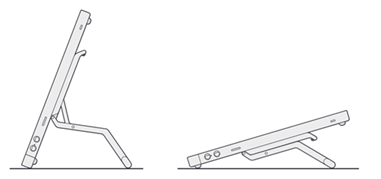
Note: The stand allows you to work in landscape orientation. To use the device in portrait orientation, detach the stand included with your device.
| | Do not share my information | | Cookies | | Terms of use | | Privacy Policy |