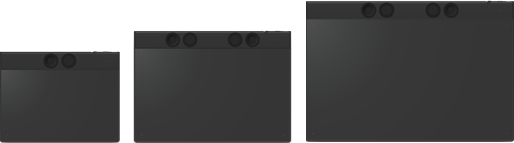
About Wacom Intuos Pro
Note: "Intuos Pro" refers to the small, medium, or large Wacom Intuos Pro.
The Intuos Pro is the perfect tool for creating illustrations, manga, comics, animation, 3D sculpting, and more. Use the customizable Pro Pen 3 included with the Intuos Pro for precision video editing, UI design, web design, 3D modeling, and 2D design.
The Intuos Pro is thin, lightweight, and portable. The ergonomic design means you can keep one hand on your keyboard while simultaneously working with your pen, the ExpressKeys, or the Dials.
Connect to your computer using a single cable, or work wirelessly by Bluetooth. Use the convenient USB/Bluetooth selector to change the connection between up to three connected devices.
Topics on this page
Included with your Wacom Intuos Pro
Your Wacom Intuos Pro comes with the following items and accessories.
| Wacom Intuos Pro device (small or medium or large) |
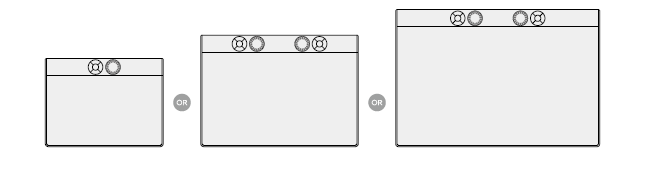 |
| USB-C to A cable | 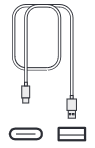 |
| Quick Start Guide booklet |  |
| Pro Pen 3 (with the flared grip & weight installed) |
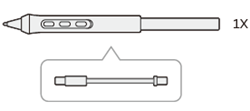 |
| Straight pen grip |  |
| Button plates |  |
| Pen nibs and nib removal tool, stored in the Pen stand | 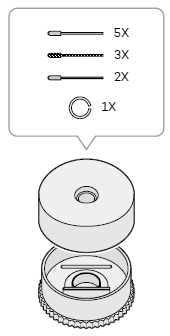 |
Tip: You can optionally purchase the Pro Pen 3 Wood Grip, Standard Texture Sheets (S, M or L), L-shaped USB-C to A or USB-C to C cables, and more on the Wacom eStore.
Find more information
- Visit the Software offers page in Wacom Center to see the software bundled with your Wacom device.
- Access FAQs and other product information on the Wacom website:
- Review the Important Product Information, which describes safety precautions, specifications, warranties, and the license agreement for your device, available in the Help & support
 section of Wacom Center.
| | Do not share my information | | Cookies | | Terms of use | | Privacy Policy |